OVERVIEW
For Data Engineer EDA (Exploratory Data Analysis) is powerful, but often chaotic. Data processing takes too much time, which hinders early user experience.
The goal was to reduce cognitive friction during early analysis—helping users reach meaningful insights faster without overwhelming them.
MY ROLE
Designed and validated the complete product experience from initial research through go-to-market.
TIMELINE
September 2022- March 2024
DOMAIN
Machine Learning, AI, Model Development
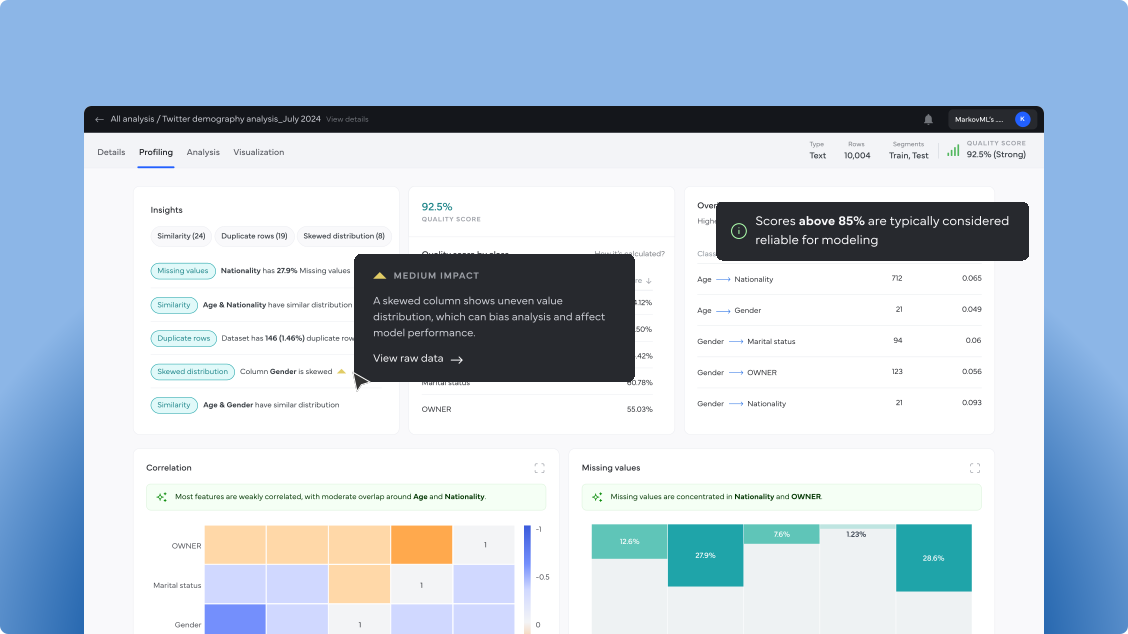
Showcasing signal and insights after data upload.
CHALLENGE
Reduce friction by accelerating user activation, curating insights instead of overwhelming users, preserving context throughout exploration, and enabling effortless sharing of findings.

Behavior-driven UX trade-offs
MarkovML supports data scientists performing early-stage exploratory analysis under time pressure and uncertainty. The following UX trade-offs reflect how exploratory behavior shaped system-level decisions.
BEHAVIORS OBSERVED
Frequent dataset uploads
Early signal-seeking
Interrupted analysis sessions
Ad-hoc sharing (Slack / Teams)
Speed over completeness
Progressive, incremental results with processing feedback
Clarity over density
Delayed advanced visualizations
Memory over novelty
Exploration history with contextual breadcrumbs
Early collaboration over sense making
Shareable insights with embedded findings and metadata
Improving User Activation
Exploratory Data Analysis (EDA) comprises of multiple advanced analysis to be done on data. Which means “More time” needed for analysis to be done. Hence early Drop-offs for first time visitor.
Design Solution
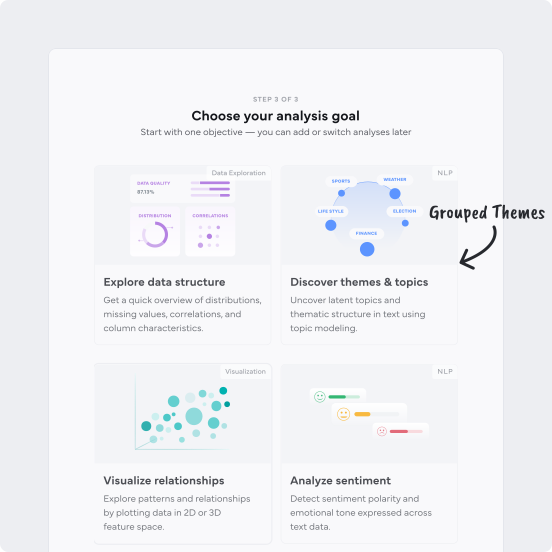
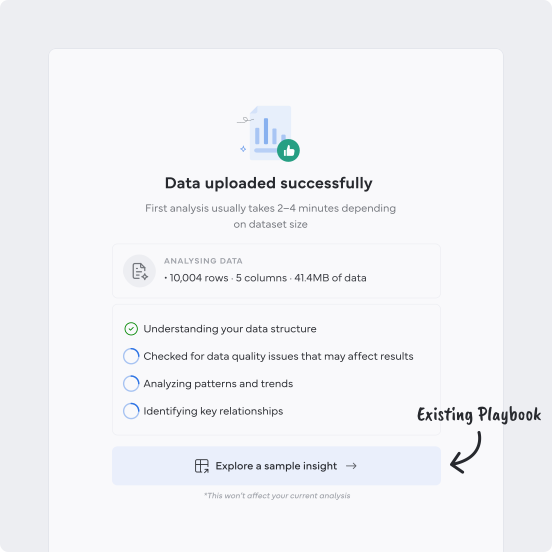
Focused Onboarding with Clear Progress
Intent-driven onboarding lets users focus on what matters by prioritising relevant analyses, while transparent progress reduces uncertainty by revealing clear stages and early insights.
Insight Overload
EDA surfaces many insights at once, but without prioritization, users struggle to understand what matters, slowing sensemaking and increasing early drop-offs.
Design Solution
Replace open-ended exploration with guided signals
Rather than leaving users to navigate insights freely, the system provides a clear signals—helping users focus on the most impactful issues first and move forward without analysis paralysis.
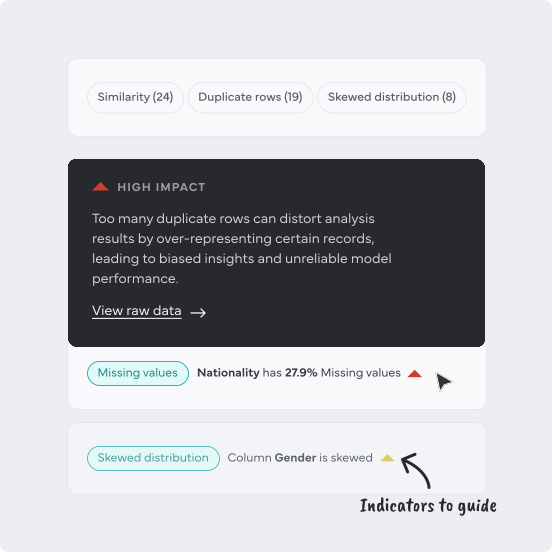
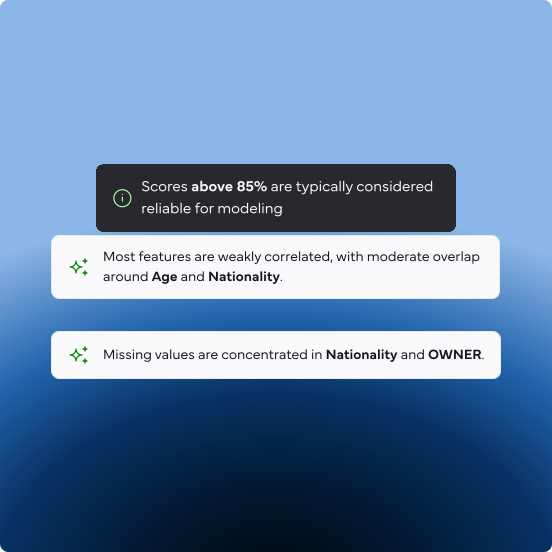
Guided signals leading user to deeper understanding.
AI assisting further understanding during EDA exploration.
Context loss during exploration
As users navigate across charts, metrics, and views, the reasoning behind insights gets fragmented—making it hard to retain context and build confidence.
Design Solution
Continuity across analysis sessions
The system preserves analysis sessions as they evolve, allowing users to revisit past work, recall why insights mattered, and continue exploration without redoing earlier steps.
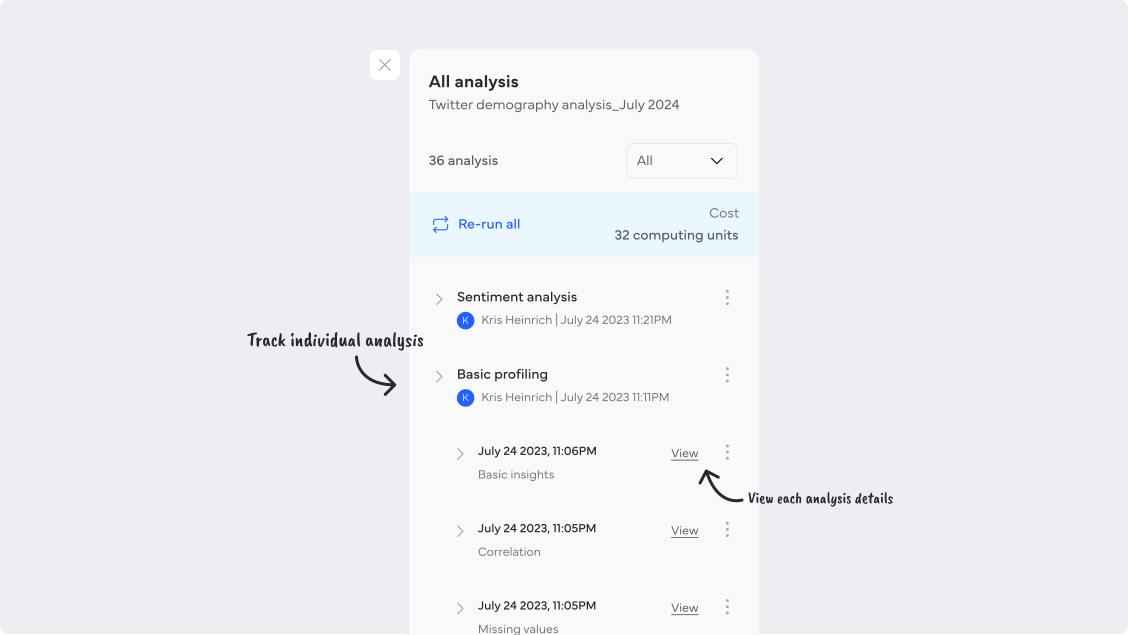
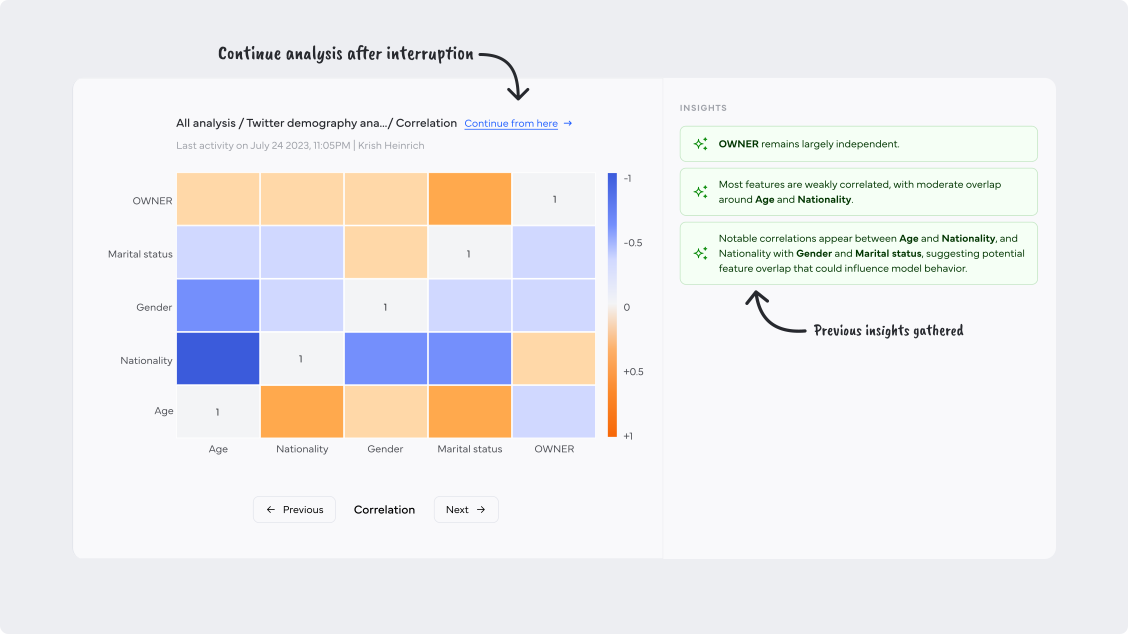
Tracking all analysis, allows user to resume their exploration after interruptions.
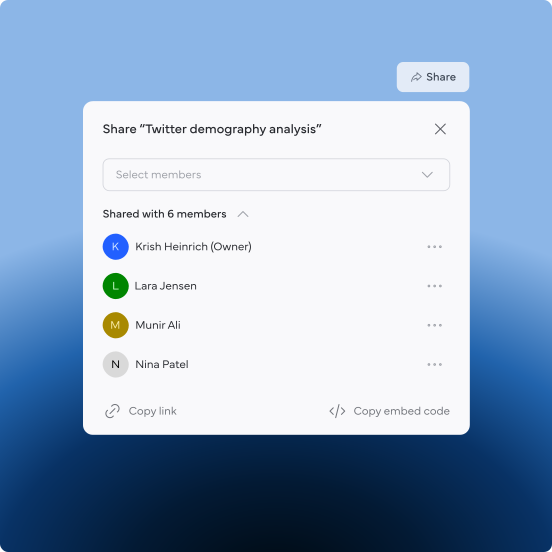
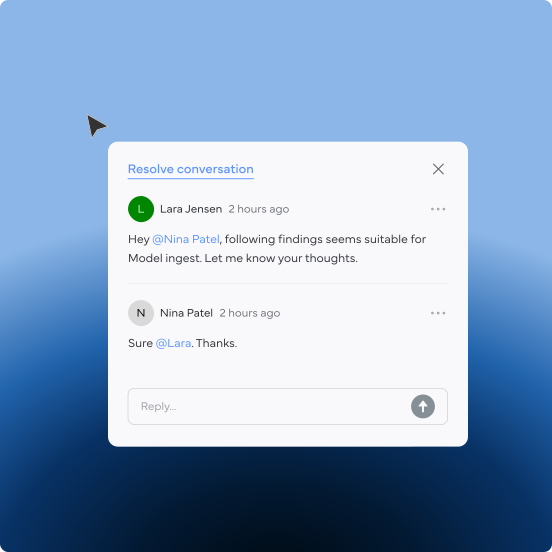
Sharing insights with findings
Exploratory analysis is often shared as isolated screenshots or charts, stripping away the reasoning, assumptions, and conclusions behind them. Without context, collaborators see what the chart shows but miss why it matters—leading to misinterpretation and repeated work.
Design Solution
Preserving context while sharing insights
Insights are shared as complete analysis reports—not isolated screenshots—so charts always travel with their findings and reasoning. This keeps context intact, reduces misinterpretation, and helps teams align faster without repeated explanations.
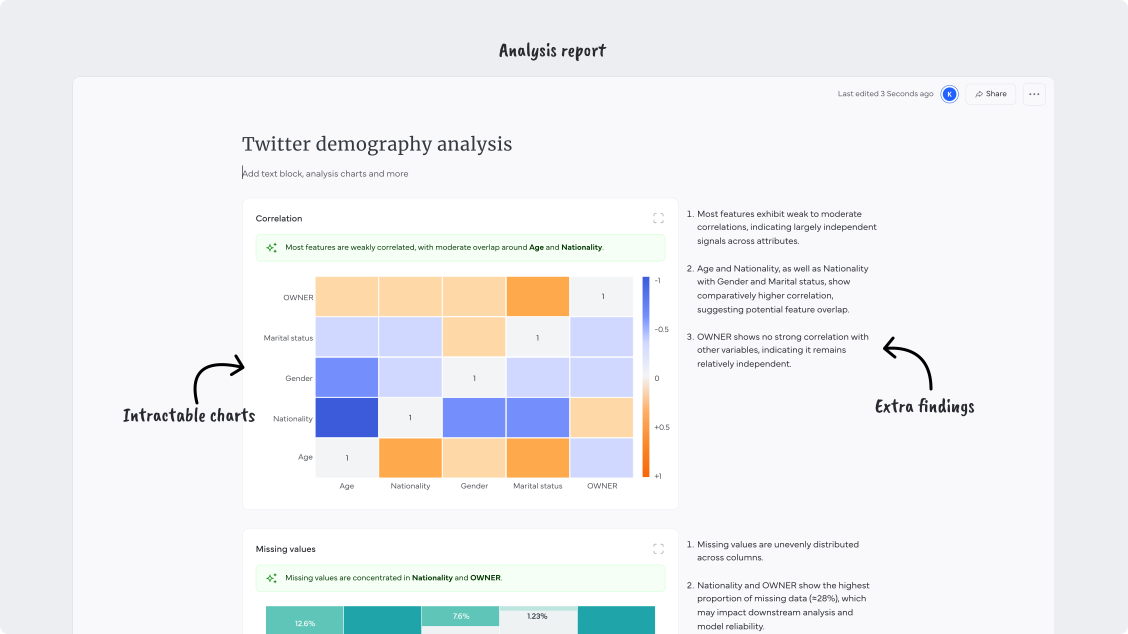
IMPACTS
The EDA platform helped MarkovML secure its initial customers, including Govini, a defense-focused organization, and Spectrum Labs.
LEARNINGS
Even though we’ve managed to get our first set of customers, EDA by nature works best when it’s focused on a specific industry or use case. When we try to keep it too broad, it becomes much harder to design experiences that truly serve each need effectively.
READ THE NEXT CASE STUDY